
Keep connected, stay closer! Coparent Pets & Share Sleep, Poop, Moods on Screens
Widgetable: Besties & Couples
by Happeny Technology Pte Ltd| Name | Widgetable |
|---|---|
| Publisher | Happeny Technology Pte Ltd |
| Genre | android-apps |
| Size | 300 MB |
| Version | 4.0.051 |
| Update | Jan 10, 2026 |
| Get it On | com.widgetable.theme.android |
| Report | Report Apps |
| Rating |
|
Preview
Widget Together, Share Moments
Widget Together is a social widget app designed to help users stay connected with friends and loved ones through interactive and customizable widgets. By transforming lock screens and home screens into shared spaces, the app allows users to exchange updates, express emotions, and enjoy small daily moments together in a creative and engaging way.
Instead of relying only on traditional messaging, Widget Together focuses on visual interaction. Widgets provide quick, glanceable updates that help users feel closer to one another throughout the day, even when they are physically far apart.
Overview of the App Experience
The app offers a variety of widgets that can be placed directly on a device’s lock screen or home screen. These widgets display shared content such as moods, activities, or simple messages, making communication more personal and continuous.
Widget Together is designed for friends, couples, and close connections who want to maintain regular interaction without constant chatting. Its playful design and interactive elements make it suitable for users of all ages who enjoy customization and social features.
Feature Highlights
🐾 Raise Virtual Pets Together
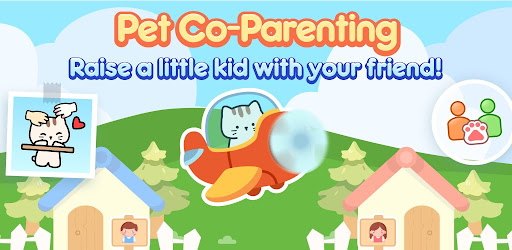
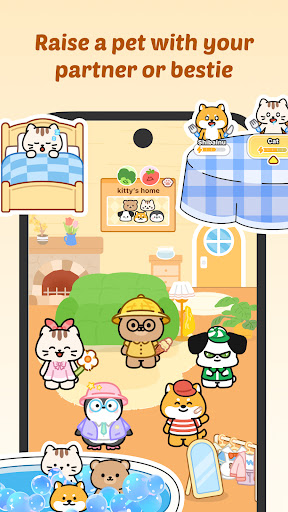
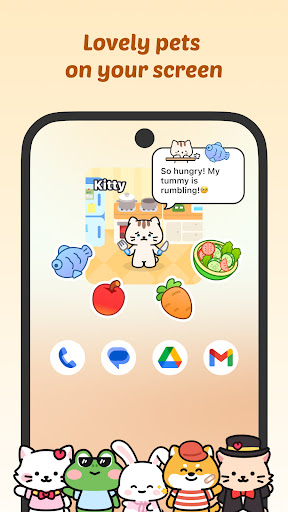
One of the most engaging features of Widget Together is the ability to adopt and care for virtual pets collaboratively. Users can co-parent these pets with friends by feeding them, playing with them, and watching them grow over time.
This shared responsibility encourages regular interaction and creates a sense of teamwork. The pets serve as a fun visual reminder of the connection between users and add a lighthearted element to everyday screen use.
💬 Share Daily Moments and Moods
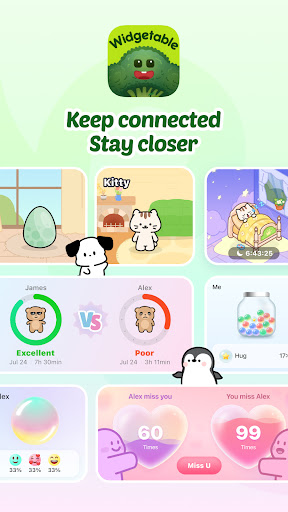
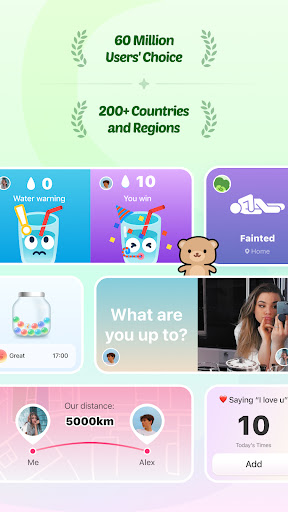
Widget Together makes it easy to share daily activities and emotional check-ins. Users can express how they feel through colorful widgets such as Mood Bubble and Mood Jar, allowing friends to understand each other’s moods at a glance.
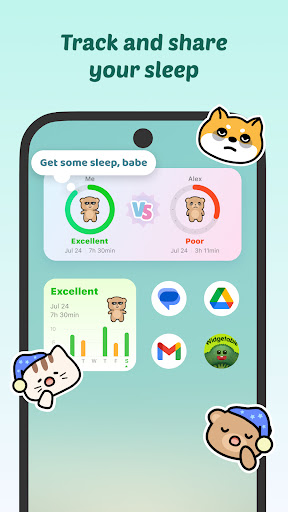
The Sleep Widget provides a way to view shared sleep-related insights, helping users stay aware of each other’s routines. These features promote thoughtful interaction without requiring long conversations, making them ideal for busy schedules.
📍 Stay Connected Across Distance
The Distance Widget displays the approximate distance between connected users directly on the lock screen or home screen. This feature helps friends and loved ones feel closer by visualizing how far apart they are in real time.
In addition, Status Widgets allow users to share quick updates, while the “Miss You” widget provides a simple way to send affectionate messages. These small interactions help maintain emotional connection, even across long distances.
🎨 Surprise and Interact
Widget Together encourages creativity through interactive features that let users send photos, emojis, doodles, and short messages. These elements can appear directly on a friend’s screen, adding surprise and personality to daily interactions.
The “Pin It”-style widgets make it easy to leave visual notes or playful content, turning ordinary screens into shared communication spaces that feel more personal and engaging.
🌱 Personalize Your Screen
Customization is a key part of the Widget Together experience. Users can personalize their screens with various widgets and visual themes, including virtual plants that grow over time to form a digital garden.
The app also offers a selection of wallpapers, such as 3D designs, AI-generated art, and paper-cut styles. Users can match themes with friends to create a coordinated look, enhancing the sense of shared identity and connection.
Permissions Notice
Widget Together requests certain permissions to support specific features:
-
Location permission is used by the Distance Widget to display approximate distance between connected users.
-
Sleep data permission is used by the Sleep Widget to share sleep-related insights between users who choose to connect.
These permissions are requested only to enable related features and improve overall functionality. Users remain in control of their data and can manage permissions through their device settings.
Who This App Is For
Widget Together is well suited for users who enjoy personalization, social interaction, and creative expression. It is ideal for friends, couples, and families who want to stay connected in subtle but meaningful ways throughout the day.
The app’s widgets are designed to enhance everyday communication rather than replace traditional messaging, making it a complementary tool for maintaining relationships.
Contact and Support
For questions, feedback, or support, users can reach out through the following channels:
-
Email: service@widgetable.net
-
Terms of Service: https://widgetable.net/terms
-
Privacy Policy: https://widgetable.net/privacy
Stay updated with the latest features and announcements by following the app on social media:
-
Instagram: @widgetableapp
-
TikTok: @widgetable
What's New
– Bug fixes and performance improvements
Download Widgetable
You are now ready to download Widgetable for free. Here are some notes:
- Please refer to our installation guide for detailed instructions. To check the CPU and GPU specifications of your Android device, we recommend using the CPU-Z application.